📧 Security Notice: Discontinuation of Email Open Relay Function
Dear Faculty, Staff, and Students,
To enhance campus network security and comply with the Ministry of Education's information security audit requirements, the email server will soon close the "Open Relay" function.
This adjustment is a critical measure to improve the overall security level of the university. Please be sure to understand the impact and check your settings in advance.
Includes Faculty and Staff(@dragon.nchu.edu.tw,@nchu.edu.tw), Students(@mail.nchu.edu.tw) mail server.
🤔 What is Open Relay?
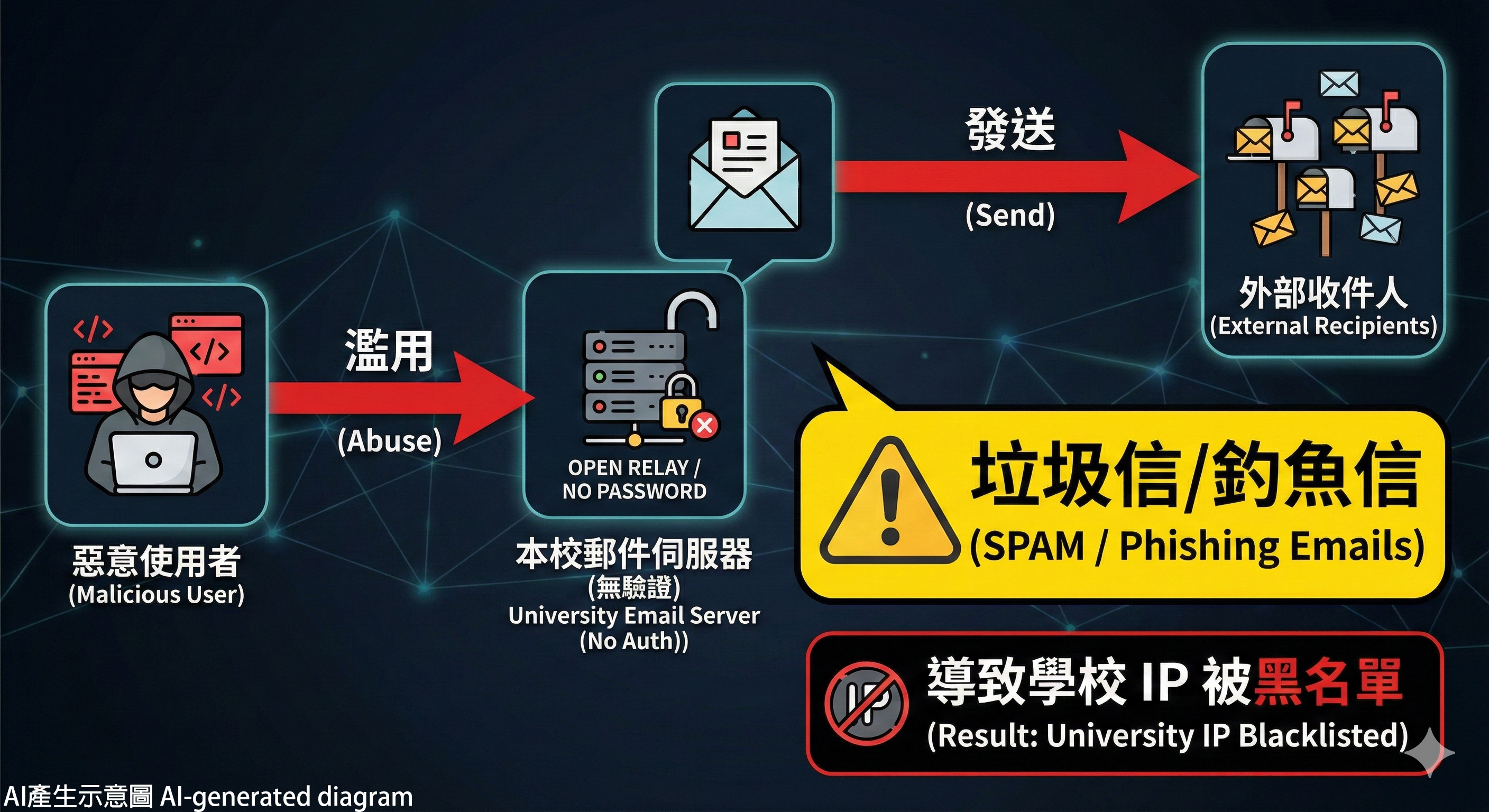
Core Concepts and Risks
Open Relay is an outdated email configuration that allows anyone or any system to send emails through the email server without entering a username and password for verification.
- Security Risk: This function is easily exploited by malicious actors or spam groups to use the email server as a springboard for sending massive amounts of spam, phishing emails, or malware.
- Severe Impact: This damages the reputation of the email server IP and can lead to being blacklisted by major email providers (e.g., Gmail, Hotmail, Yahoo), severely disrupting normal email communication.
- Goal: According to current security standards, Open Relay is classified as a high-risk setting and must be disabled.
💡 Impact and Required Actions
1. Individual Users (Personal Devices)
| User Type | Impact Status | Action Required |
|---|---|---|
| Webmail Users (Browser) | No Impact | Webmail requires login by default; no changes needed. |
| App/Software Users (e.g., Outlook, Mobile Mail Apps) | Check Required | Ensure your email software settings for the Outgoing Server (SMTP) have User Name and Password authentication enabled. |
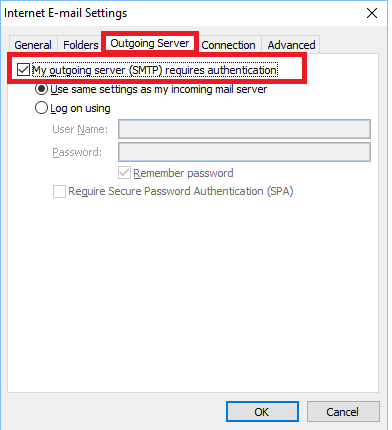
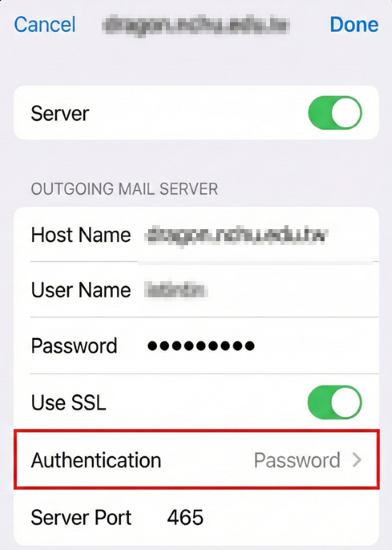
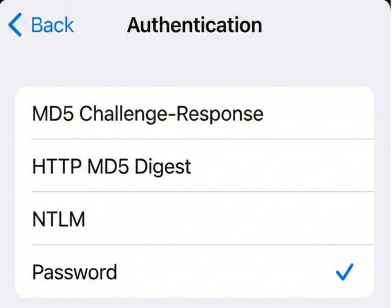
📌 Configuration Guides:
- How to set up Outlook 2019/2016 for NCHU Email
- How to set up NCHU Email on iPhone
- How to set up NCHU Email on Android
2. Server/Network printer(scanner)/System Administrators and Website Managers
If you use our email server SMTP service to send emails via the server name dragon.nchu.edu.tw or mail.nchu.edu.tw, please perform the following checks:
- Please confirm the code or system settings to authenticate using a valid email account and password when sending emails.
- Complete testing before the deadline to avoid sending failures.
3. Special System Requirements (Whitelist Application)
If you have a legacy system that cannot be configured to use password authentication but requires the server IP to send emails, please apply for a whitelist exemption:
- Application Form: Please fill out the "Special Operation Application Form".
- Required Info: Provide the IP Address of the sending server and description of usage(Multiple IPs can be written on one sheet). Confirmed and stamped by the supervisor.
- Submit To: Paper copies sent Network Division Ms. Chang (tintin@nchu.edu.tw, Campus extension 306 ext.761).
📥 Download 「Special Computer Service Application Form」: